DroidCamX HD (Classic)
Dev47AppsTools
4.41.26K Reviews
- Version
- Varies With Device
- Installs
- 500.00K
- Age Rating
- Everyone
Screenshots
Our Review of DroidCamX HD (Classic)
 Analysis by Appyee
Ever found yourself in a situation where you need a webcam, but your laptop camera just won't cut it? Or maybe your desktop doesn’t have one at all? Enter DroidCamX HD (Classic), the app that turns your smartphone into a high-quality webcam. I dove into this app to see if it lives up to the hype, and boy, was I surprised.
Setting Up DroidCamX HD
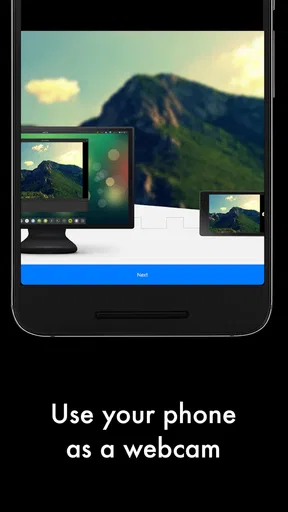
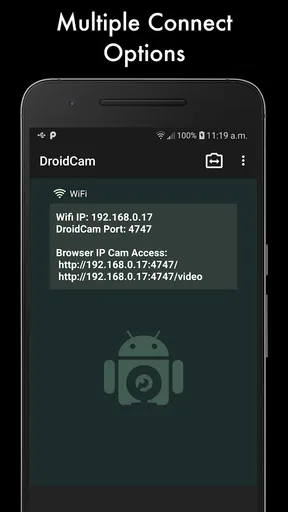
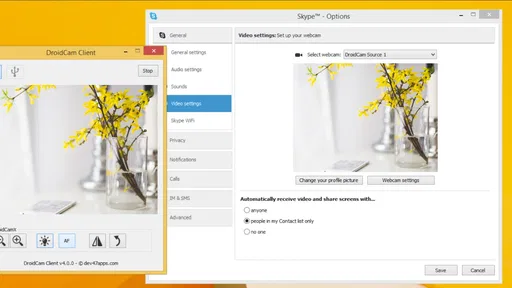
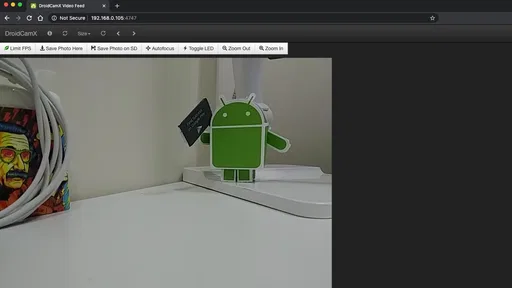
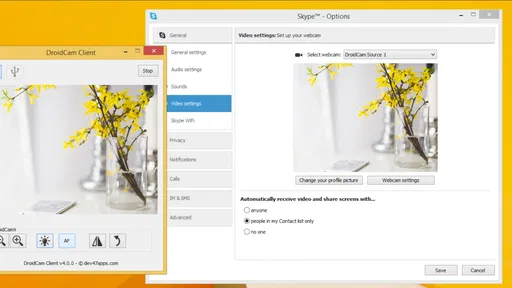
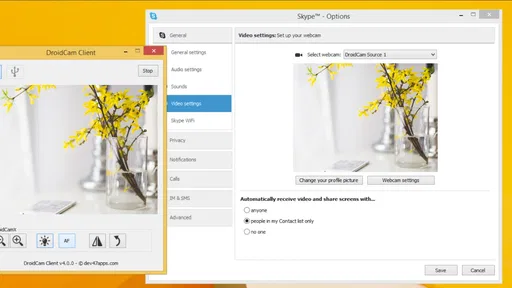
Getting started with DroidCamX HD (Classic) is a breeze. Just download the app on your phone, install the client on your computer, and follow a few simple steps to connect the two devices. You can connect via USB or wirelessly through Wi-Fi. It's like magic—suddenly your phone is a webcam, and you’re ready to rock those Zoom meetings or Twitch streams.
Features
The app boasts a range of features aimed at enhancing your webcam experience. The HD mode is a game-changer, offering clear and crisp image quality that makes your video calls look super professional. Plus, you can tweak settings like brightness, contrast, and zoom directly from your phone. It’s like having a mini production studio in your pocket.
One of the coolest aspects is the app’s ability to use both the front and back cameras of your phone. This is perfect for different scenarios—use the front camera for video calls or flip to the back camera for higher resolution shots. The versatility is unparalleled.
User Experience
Using the app feels intuitive and straightforward. The interface is clean, and everything you need is just a few taps away. It’s not cluttered with unnecessary options, which keeps the learning curve shallow. Even if you’re not tech-savvy, you’ll find your way around in no time. Simply connect, adjust a few settings if you wish, and you’re good to go.
What’s also impressive is the app’s stability. During my testing, I experienced no lag or crashes, which is crucial when you're in the middle of an important call or recording. The app runs smoothly, whether connected through USB or Wi-Fi.
Compatibility
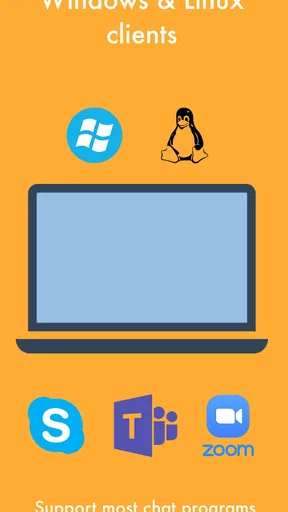
DroidCamX HD is compatible with a wide range of platforms, including Windows, Linux, and even OBS Studio. This makes it versatile for different users, from corporate professionals to gaming streamers. The ability to integrate with OBS is particularly noteworthy for those looking to enhance their streaming setup without investing in expensive camera equipment.
Why DroidCamX HD Stands Out
What sets this app apart is its affordability and ease of use. Instead of buying a separate webcam, you can leverage the high-quality camera already on your smartphone. It’s a practical solution that’s both cost-effective and efficient. Plus, the app’s updates and support keep it relevant and functional, adapting to new tech trends and user needs.
Another standout feature is security. The app uses encrypted connections for data transfer, ensuring your video streams are safe from prying eyes. In a world where privacy is a growing concern, this is a significant plus.
Final Thoughts
So, would I recommend DroidCamX HD (Classic)? Absolutely. Whether you’re a professional needing a reliable webcam for work calls, a student attending online classes, or a streamer looking to up your game, this app is a fantastic tool. It's got the quality, the features, and the ease of use that make it a no-brainer.
In conclusion, turning your smartphone into a webcam with DroidCamX HD is not just a neat trick—it’s a genuinely useful solution that can improve your digital communication experience without breaking the bank. Give it a try, and you might just find yourself wondering how you ever got by without it.
Verdict
Strengths of DroidCamX HD (Classic)
- High-quality video streaming.
- Supports multiple camera modes.
- Easy setup and connection.
- Low latency performance.
- Compatible with various platforms.
Limitations of DroidCamX HD (Classic)
- Free version has limited features.
- No support for 4K resolution.
- Occasional connection drops.
- Requires desktop client installation.
- Limited customization options.
Similar Picks in This Category
View All
Google LLC4.0

Gboard - the Google Keyboard
Google LLC4.5

Google Play services
Google LLC4.3

Google Play Store
Google LLC4.9

Files by Google
Google LLC4.5

SHAREit: Transfer, Share Files
Smart Media4U Technology Pte.Ltd.4.3
Frequently Asked Questions
What is DroidCamX HD, and how does it work?
DroidCamX HD is an app that transforms your Android or iOS device into a high-definition webcam for your computer. By connecting your device to your PC via Wi-Fi or USB, it allows you to use your phone's camera in video conferencing applications such as Zoom, Skype, or Microsoft Teams. It's a convenient solution for upgrading your webcam quality without additional hardware.
Is DroidCamX HD compatible with both Windows and Mac?
Yes, DroidCamX HD is compatible with both Windows and Mac operating systems. You’ll need to install the corresponding client software on your computer to establish a connection with your mobile device. Make sure to check the system requirements and installation instructions provided on the developer’s website to ensure a smooth setup process.
Does DroidCamX HD support audio transmission?
Yes, DroidCamX HD supports audio transmission along with video. This means you can use your phone’s microphone as an audio source during video calls. Ensure that the audio settings are properly configured in both the app and your video conferencing software to utilize this feature effectively.
Are there any limitations or restrictions I should be aware of when using DroidCamX HD?
While DroidCamX HD offers a robust set of features, some limitations include potential lag or quality reduction over Wi-Fi connections compared to USB. Ensure your network is stable for optimal performance. Additionally, the free version may have limitations on video quality or features compared to the paid version. Reviewing the app’s documentation can provide more detailed insights.
How secure is the connection between my phone and computer using DroidCamX HD?
DroidCamX HD is designed with user privacy and security in mind. The connection between your mobile device and computer is direct and does not pass through third-party servers. However, it's crucial to ensure both devices are on a secure network, especially when using Wi-Fi to prevent unauthorized access. Regularly updating the app and your system helps maintain security.
